


Download PDF to Excel Free – Free PDF to Excel Converter, Batch Export, Secure Data Transfer
Overview
PDF to Excel Free is a lightweight, no‑cost desktop utility designed to turn stubborn PDF tables into fully editable Microsoft Excel worksheets in seconds. Built with a focus on speed and data integrity, the program reads the underlying structure of a PDF file, extracts tabular data, and rebuilds it in an .xlsx format that preserves formulas, cell borders, and numeric formatting. Whether you are a financial analyst pulling quarterly reports, a student converting research data, or a small‑business owner needing to share inventory lists, the tool eliminates the manual copy‑and‑paste nightmare that typically accompanies PDF‑to‑Excel workflows.
One of the standout capabilities is its batch processing engine: you can drop an entire folder of PDFs into the interface, define a single output destination, and let the software work unattended. The user interface follows a clean, Windows‑style layout with clear icons, making the learning curve almost nonexistent. Security‑conscious users will appreciate that the application runs locally, never uploads files to the cloud, and does not embed any hidden trackers.
Updates are delivered through an automatic, secure downloader, ensuring you always have the latest parsing algorithms without having to search the web for newer versions. In short, PDF to Excel Free offers a fast, reliable, and completely free solution for anyone who needs to transform PDF data into a flexible spreadsheet format.
Key Features
- Accurate Table Extraction: Detects rows, columns, merged cells, and numeric formats to recreate the original layout in Excel.
- Batch Conversion: Convert multiple PDF files at once by dragging a folder onto the program.
- Preserves Formatting: Retains cell colors, borders, and number formats (currency, dates, percentages).
- Zero Cost, No Ads: Fully functional free version without hidden fees or advertising pop‑ups.
- Local Processing: All conversion happens on your computer, keeping confidential data away from the internet.
- Automatic Updates: Built‑in updater checks for new parsing engines and security patches.
- Multi‑Language Support: Interface available in English, Spanish, French, German, and Chinese.
- Export Options: Save directly to .xlsx, .xls, or CSV for compatibility with other data tools.
- Custom Output Settings: Choose whether to keep original page breaks, ignore images, or extract only selected pages.
- Lightweight Installer: Under 15 MB download size, quick installation, and minimal system resource usage.
Installation & Usage Guide
Getting started with PDF to Excel Free is straightforward. First, download the installer from the official website—look for the “Free Download” button, which redirects to a secure HTTPS server. The installer is a standard .exe for Windows and a .dmg for macOS.
Run the file, accept the license agreement, and follow the on‑screen prompts. The default installation path is C:\Program Files\PDFtoExcelFree on Windows and /Applications/PDFtoExcelFree.app on macOS. After installation, launch the program from the Start menu or Applications folder.
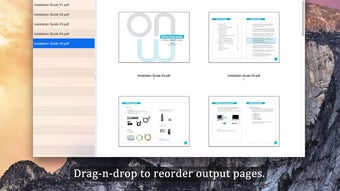
The main window presents three panels: Source Files, Conversion Settings, and Destination Folder. To convert a single document, click the “Add File” button, browse to your PDF, and it will appear in the source list. For batch jobs, click “Add Folder” and select the directory containing all PDFs you wish to process. Once files are listed, adjust settings on the right: choose the output format (XLSX is recommended), decide whether to keep page breaks, and specify if you want to skip images. You can also set a naming convention for the output files using variables like {filename}_converted.
When ready, press the bright green “Convert” button. The software displays a progress bar and logs each file’s status—success, warning, or error. Errors are rare but may occur with scanned PDFs that lack OCR layers; in such cases, the built‑in “Enable OCR” toggle can be activated, though the free version provides only basic OCR capabilities. Completed Excel files appear in the destination folder you selected, ready to open in Microsoft Excel, LibreOffice Calc, or Google Sheets.
Compatibility information is essential for planning deployments. PDF to Excel Free runs on Windows 7, 8, 10, and 11 (64‑bit) as well as macOS 10.13 (High Sierra) and later. The application does not currently have native Android or iOS builds; however, the Windows version can be run on Android tablets using emulation tools like BlueStacks, though performance may vary. System requirements are modest: a dual‑core CPU, 2 GB RAM, and 100 MB of free disk space for temporary files. Because conversion is performed locally, no internet connection is required after installation, making it suitable for offline environments.
Pros
- Fast, accurate conversion with minimal manual cleanup.
- Batch processing saves time on large projects.
- No hidden costs or subscription fees.
- Data never leaves your computer, ensuring privacy.
- Lightweight and easy to install.
- Limited OCR capabilities for scanned PDFs.
- No native mobile app for iOS/Android.
- Advanced formatting options (e.g., complex merged cells) may need manual adjustment.
Frequently Asked Questions & Conclusion
Is PDF to Excel Free safe to download?
Yes. The installer is hosted on a secured HTTPS server, digitally signed, and does not contain any adware or spyware. All conversion happens locally, so your files never leave your computer.
Can I convert scanned PDFs that contain only images?
The free version includes a basic OCR engine that can recognize simple text tables. For complex scans or multi‑language documents, you may need a paid OCR add‑on or a dedicated OCR tool before using PDF to Excel Free.
How many files can I convert at once?
There is no hard limit; the batch processor will handle as many PDFs as your system resources allow. Users commonly convert folders containing 200‑300 files without performance issues.
Does the program support Excel macros?
PDF to Excel Free focuses on data extraction only. It does not create or preserve VBA macros. If you need macro support, you’ll have to add them manually after conversion.
What is the update policy for the free version?
The application checks for updates each time it launches and prompts you to install the latest stable build. Updates are free and include bug fixes, improved parsing algorithms, and occasional new features.
In conclusion, PDF to Excel Free delivers a solid, cost‑free solution for anyone who regularly needs to transform PDF tables into editable Excel sheets. Its accurate extraction engine, batch capabilities, and privacy‑first design make it a strong contender against paid alternatives. While the free version lacks advanced OCR and a native mobile app, the core functionality covers the majority of everyday use‑cases for professionals, students, and small businesses alike. Download today, try the batch mode on a folder of reports, and experience how much time you can save by eliminating manual data entry.
Overall Rating: 4.5 / 5







